A social media approval workflow your team will actually use
Decide which teammates need sign-off. Their posts wait as Pending approval until an owner approves them or sends them back with feedback, so nothing goes live by accident.
Set up approvals
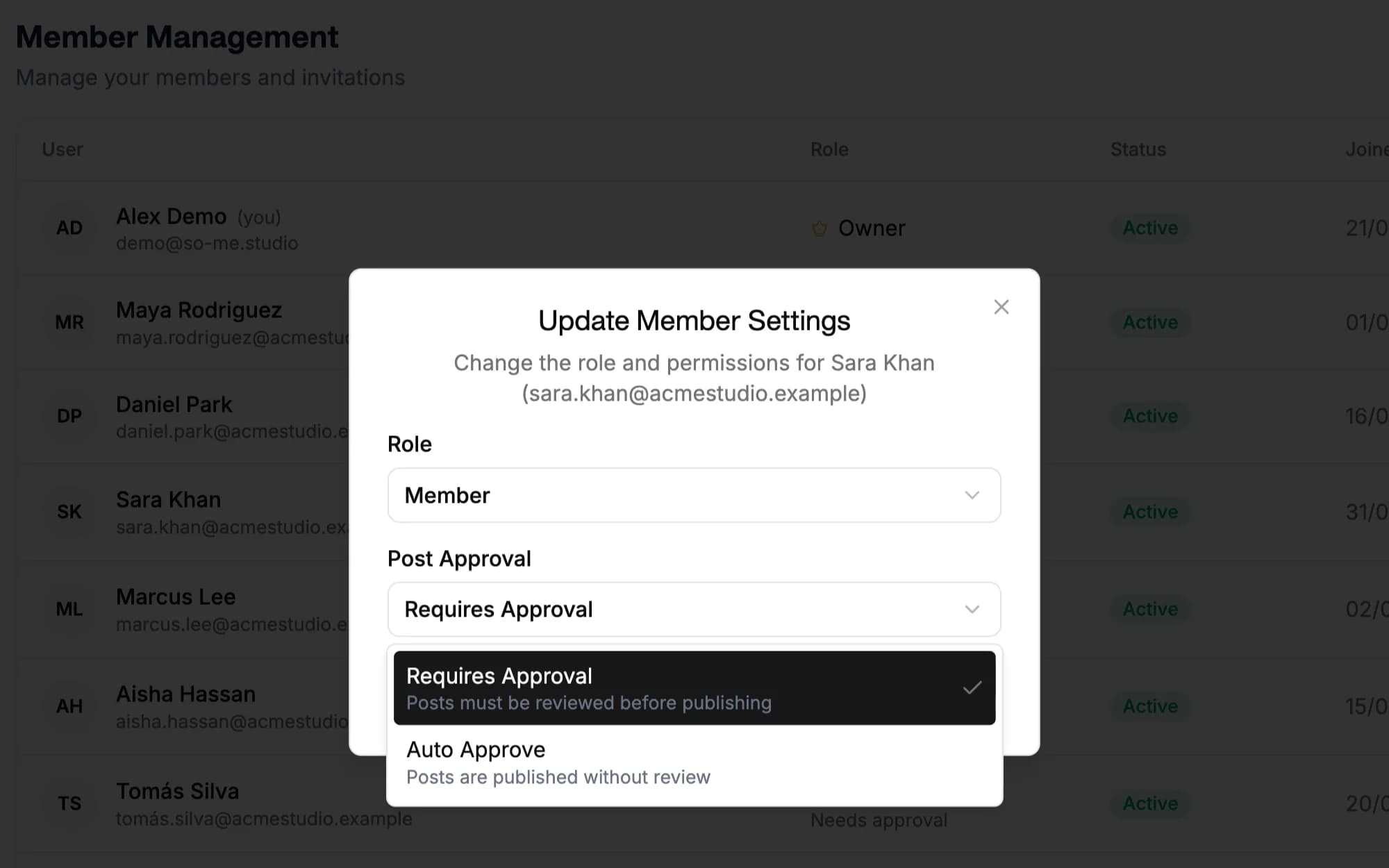
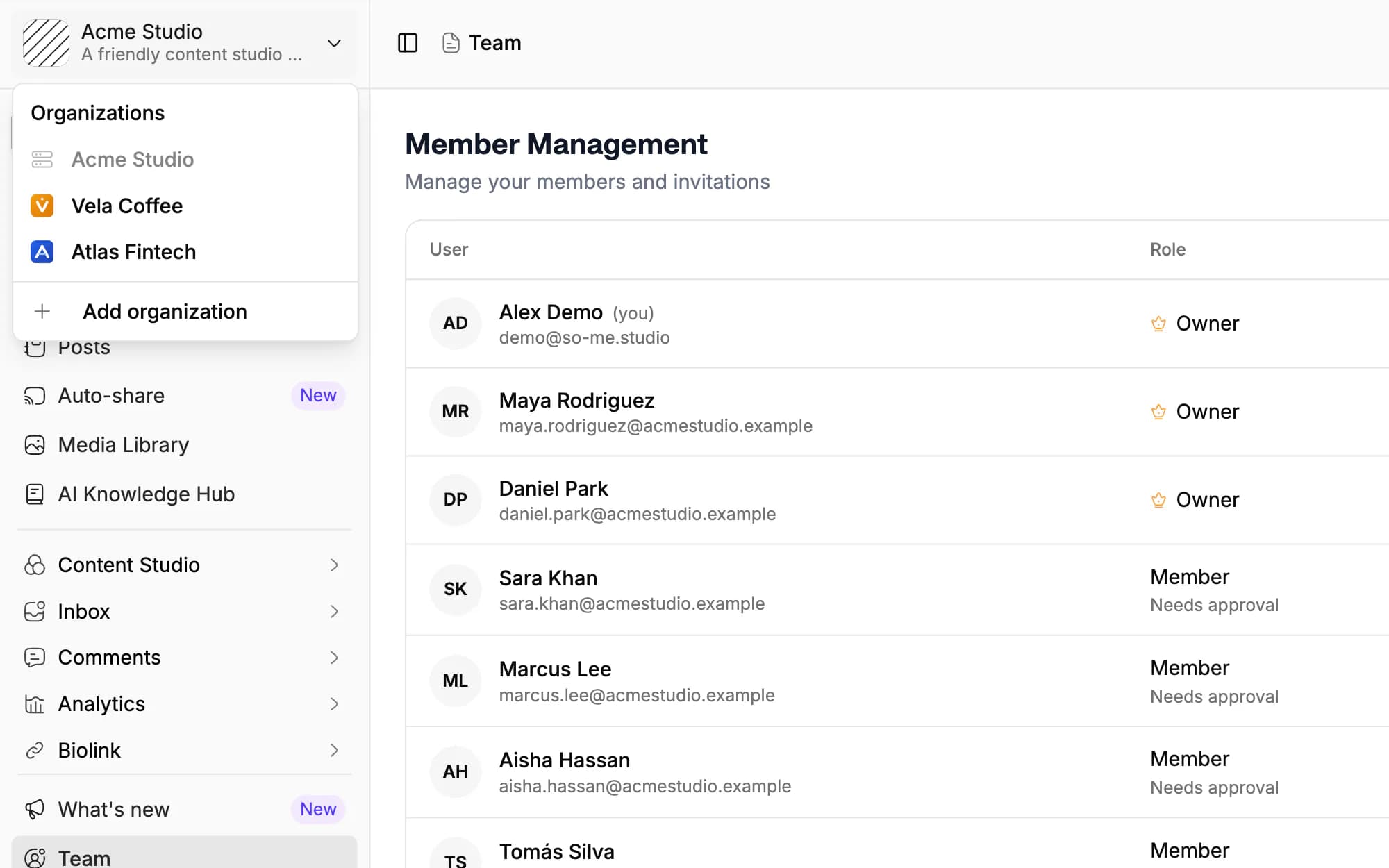
Approval per team member
Choose Requires approval or Auto-approve for each member when you invite them, and change it later.
Nothing publishes unreviewed
A post waiting for approval is never queued or published until an owner approves it.
Approve or reject with feedback
Add an optional note when you approve, reject with a required comment, and talk changes through in the post's comment thread.
Approvals for AI agents and tools
List, approve and reject pending posts through the REST API or the MCP server, with webhooks for every step.
Choose who publishes freely and who needs approval
Approval is set per team member, not per post. Owners publish directly; for everyone else you choose Requires approval or Auto-approve.
- New members start on Requires approval. Switch a member to Auto-approve once you trust their posts.
- Owners never need approval, so someone can always publish.
- Change a member's setting at any time from the Team page.
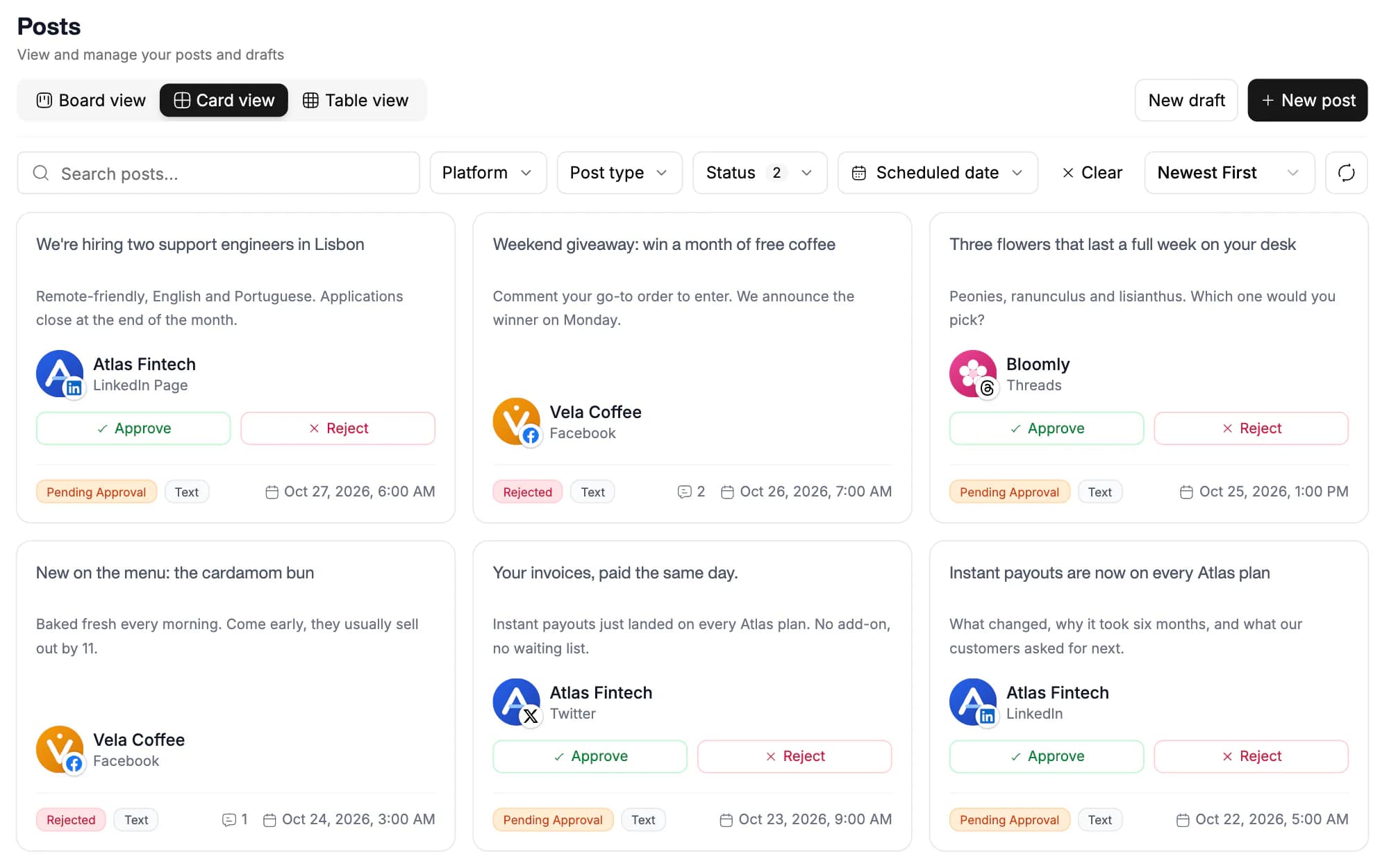
See every post waiting for your sign-off
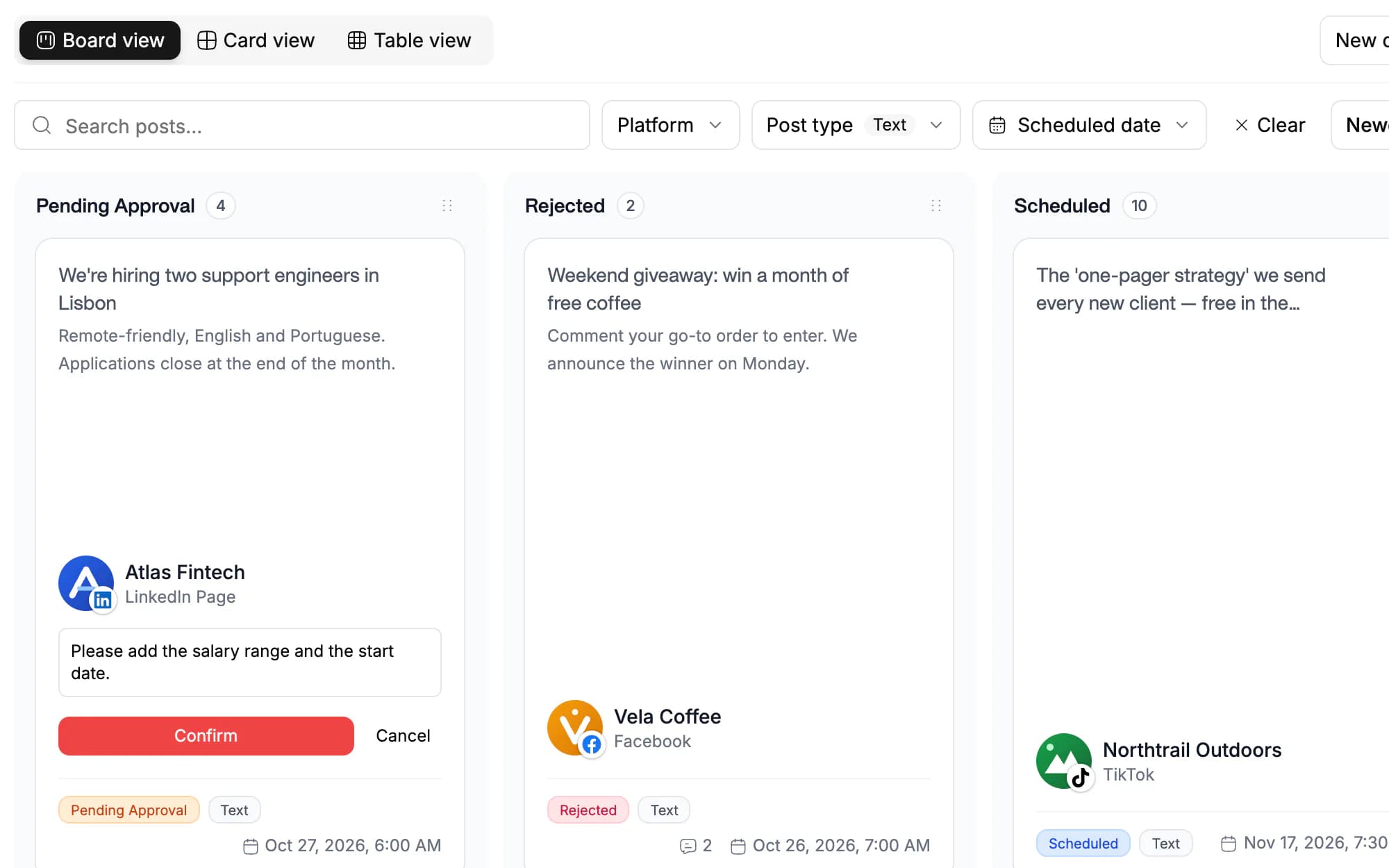
Posts that need approval appear in their own Pending approval column on the posts board, ready for an owner to review.
- Approve a post, with an optional note, and it is scheduled for its planned time.
- Reject it with a required comment that tells the author what to change.
- The author edits the rejected post and resubmits it for another review.
- Discuss changes with the author in the post's comment thread.
- Status changes appear in real time for everyone in the workspace.

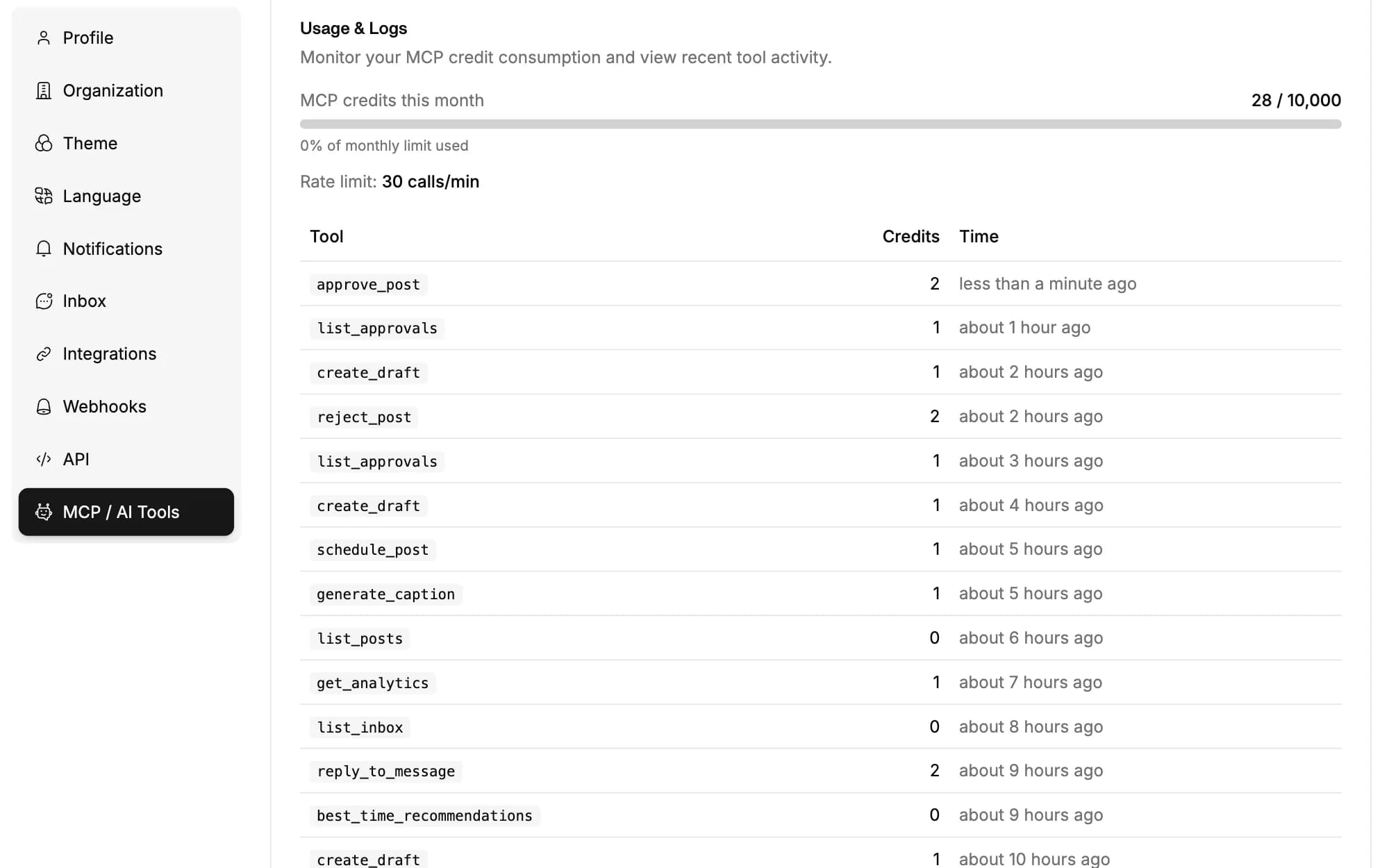
Keep a person in the loop when agents post
Have AI agents create drafts for a person to review and schedule, and let your own tools work the approval queue.
- The REST API lists posts waiting for approval (GET /v1/approvals) and approves or rejects them.
- MCP clients such as Claude or Cursor get the list_approvals, approve_post and reject_post tools.
- Webhooks report when approval is requested, approved, rejected or resubmitted.
Separate approval rules for every client
Give each client its own workspace with its own team, so approvals, accounts and posts never mix.
- Each workspace has its own members and approval settings.
- Switch between client workspaces from one login.
- API keys belong to one workspace, so an agent working for one client cannot reach another.
For teams that sign off before they post
Agencies
Have account leads approve posts before they go live for a client.
Brand and marketing teams
Keep a final check on everything published under your brand.
Teams using AI agents
Review what your agents draft before it reaches your audience.
Freelancers and assistants
Hand posting to a helper while you keep the last word.
Team members set to Requires approval. You choose this for each member when you invite them and can change it later. Owners never need approval, and members set to Auto-approve publish directly.
The post moves to Rejected with the owner's comment, which is required. The author edits it and resubmits it, and it returns to Pending approval for another review.
Workspace owners. They approve a post, with an optional note, or reject it with a comment.
No. API keys act for the workspace owner, so a post an agent creates through the REST API or MCP server is scheduled directly. To review agent output first, have the agent create drafts, or use the approvals endpoints and MCP tools to work the queue.
Pending posts appear in the Pending approval column of the posts board, and status changes update in real time. Webhooks can also tell your own tools when approval is requested, approved or rejected.
Approvals need team members, which start on Creator: it includes up to 3, and Standard, Advanced and Lifetime include unlimited team members. Lite is for the account owner alone, so it has no approvals.
Schedule once.
Post everywhere.
Stop juggling tabs, draft, customize, and publish to 20 platforms from a single calendar.