Social Media Marketing for Startups Without a Marketing Team
Lean social media marketing for founders and early-stage teams. Schedule across all 20 platforms, draft posts with AI, design visuals in-app, run a build-in-public bio-link, and prove traction to investors. Start with a 7-day free trial.
Start 7-day free trial7-day free trial · Card required
Start with a 7-day free trial. A credit card is required, but nothing is charged until the trial ends. Your selected plan renews automatically after 7 days unless you cancel in Billing. There is no free plan.
30 days of content in 30 minutes
AI generates a full month of posts from your product updates, blog or a simple prompt.
Investor-ready traction
Export social growth and engagement data straight into pitch decks and investor updates.
Lower CAC, faster
Build owned audience before you turn on paid ads. The cheapest channel is the one you keep.
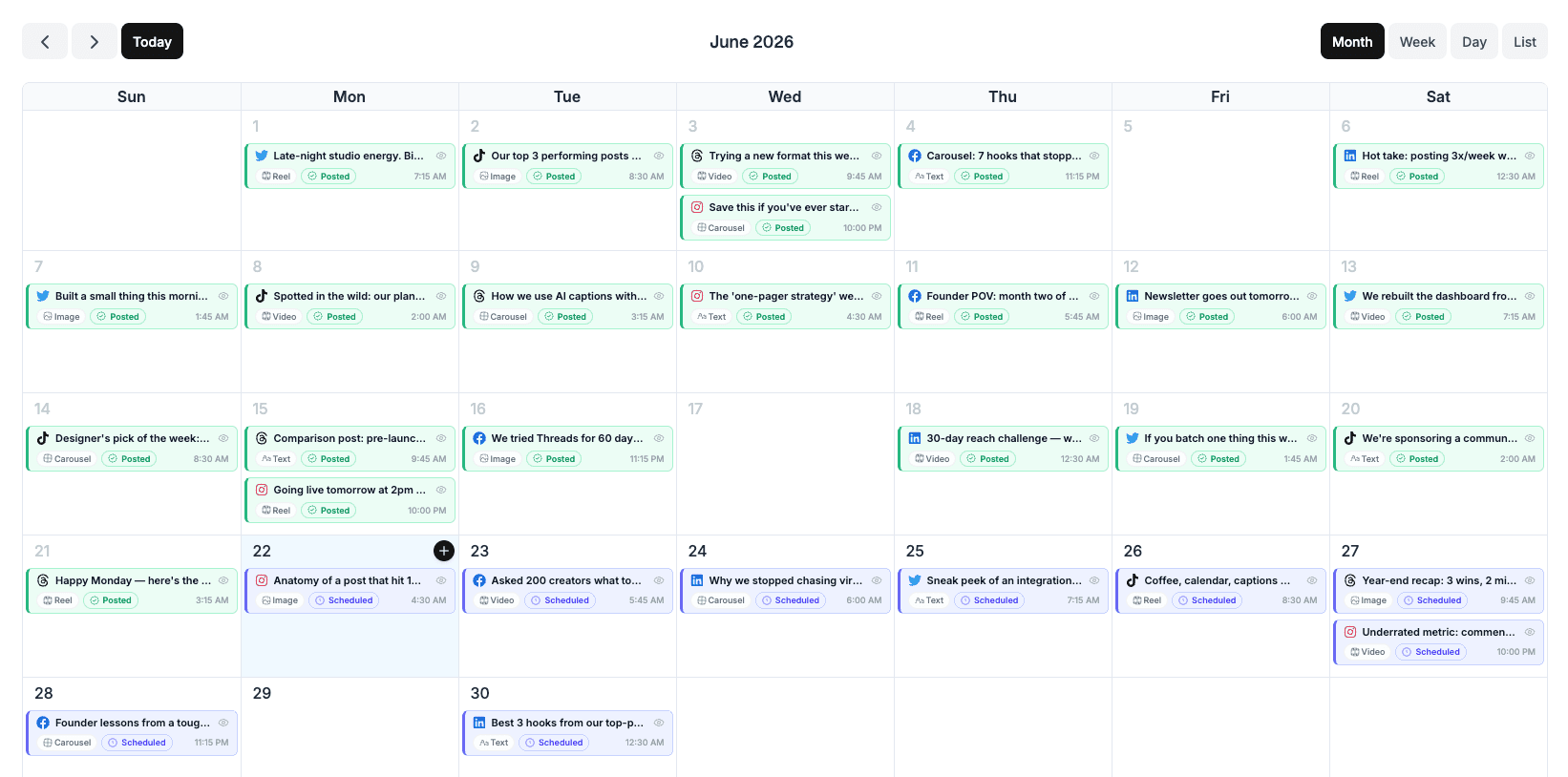
Plan a week of content in one Monday block
Open the calendar, write or AI-draft 10-15 posts, schedule them across every platform you care about, close the tab. Total time: 30-45 minutes once a week.
- Drag-and-drop calendar across all 20 platforms
- AI-generated post ideas from your blog or product changelog
- Best-time-to-post per audience

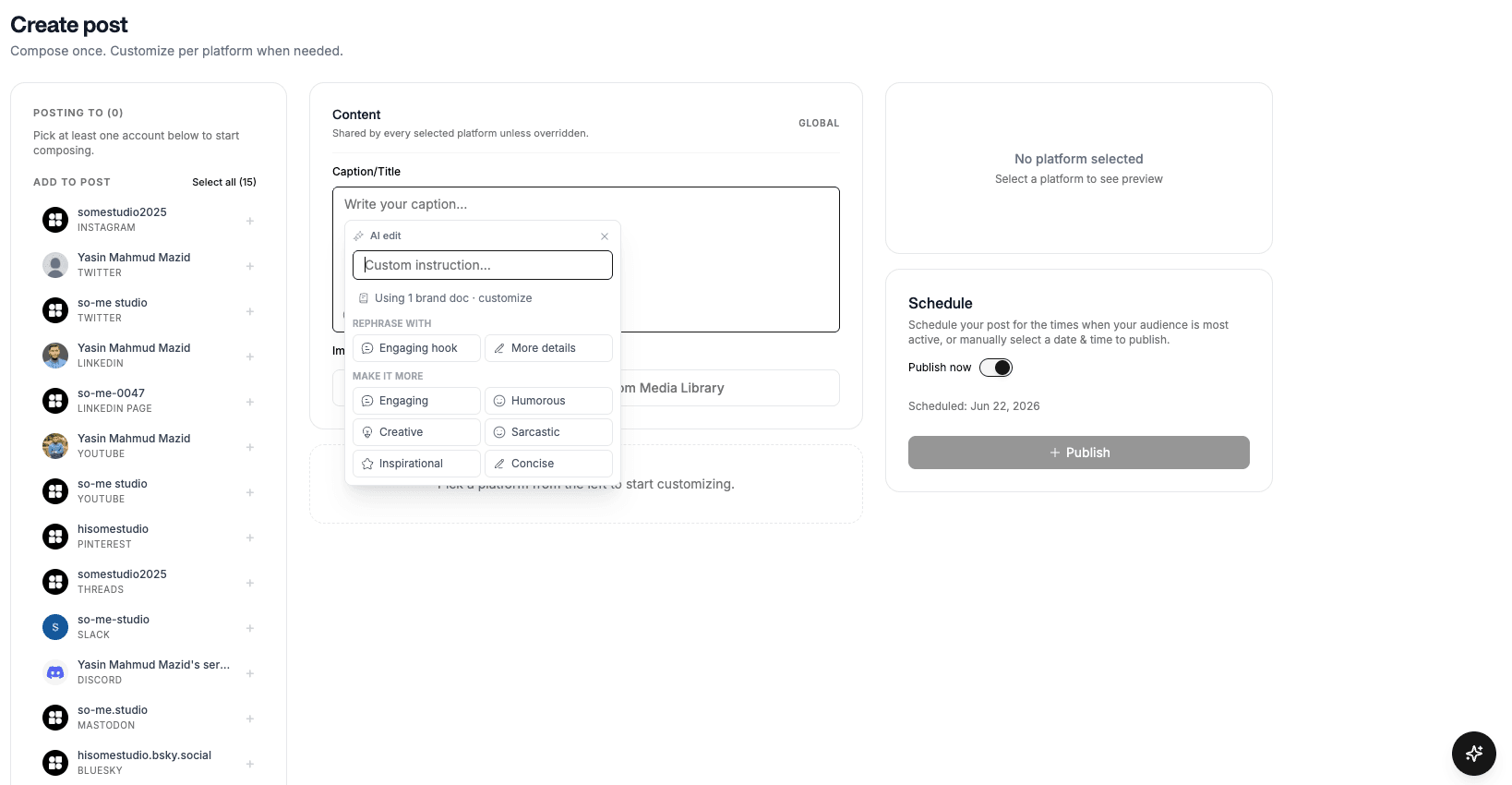
AI handles the blank page so you can ship
Founders ship products, not press releases. Tell the AI what you want to say, product update, customer win, founder take, and edit the draft instead of staring at an empty caption box.
- AI text credits on every plan, unlimited on Advanced
- Rewrite one post for LinkedIn, Twitter and Instagram in one click
- Free tools for tweets, hashtags, LinkedIn bios

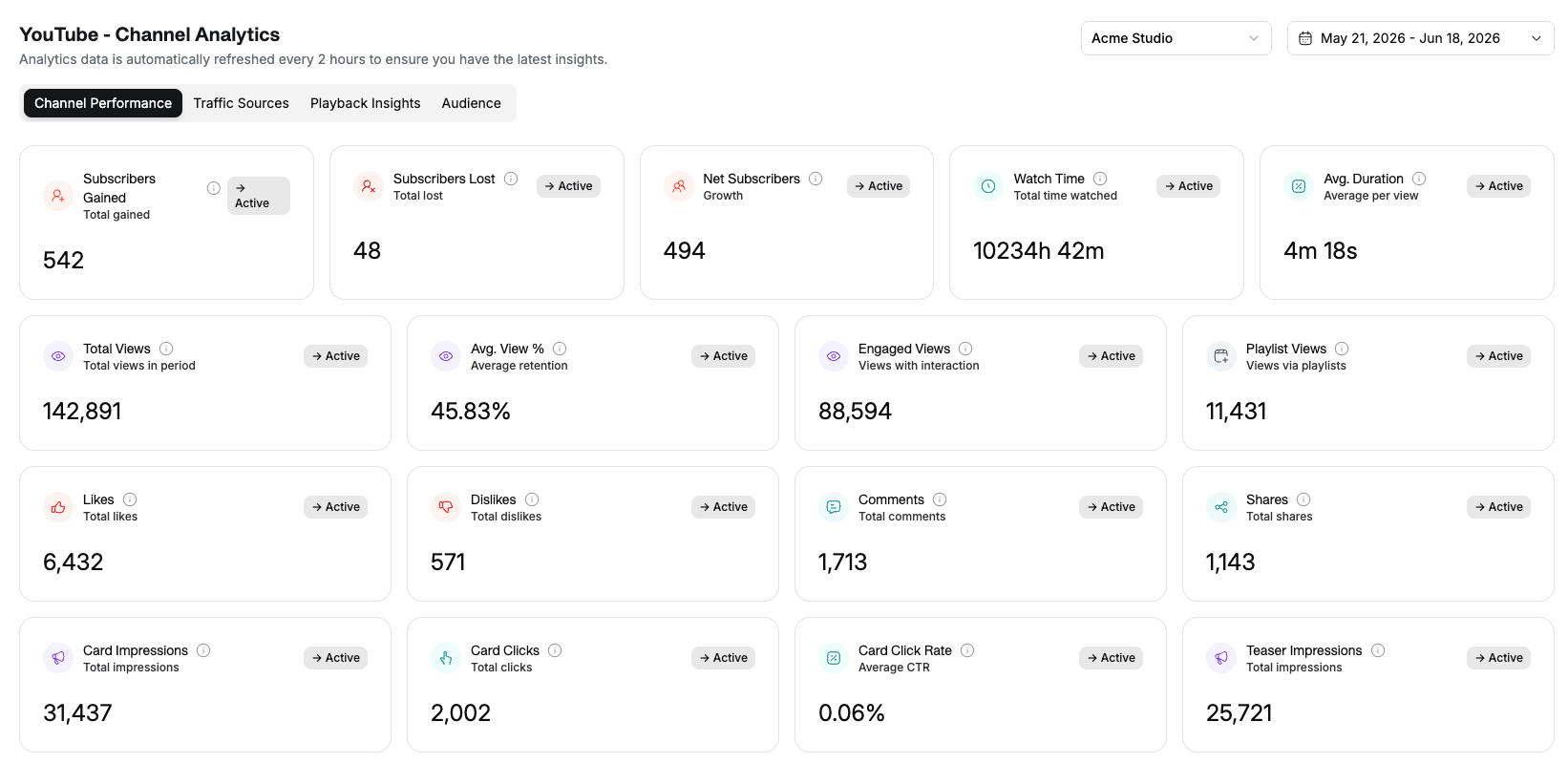
Traction data your investors actually want
Track follower growth, engagement, viral coefficient and community health. Export the data straight into your monthly investor update so social isn't an unmeasured cost center.
- Per-platform growth and engagement trends
- Investor-ready exports
- Top-performing post identification
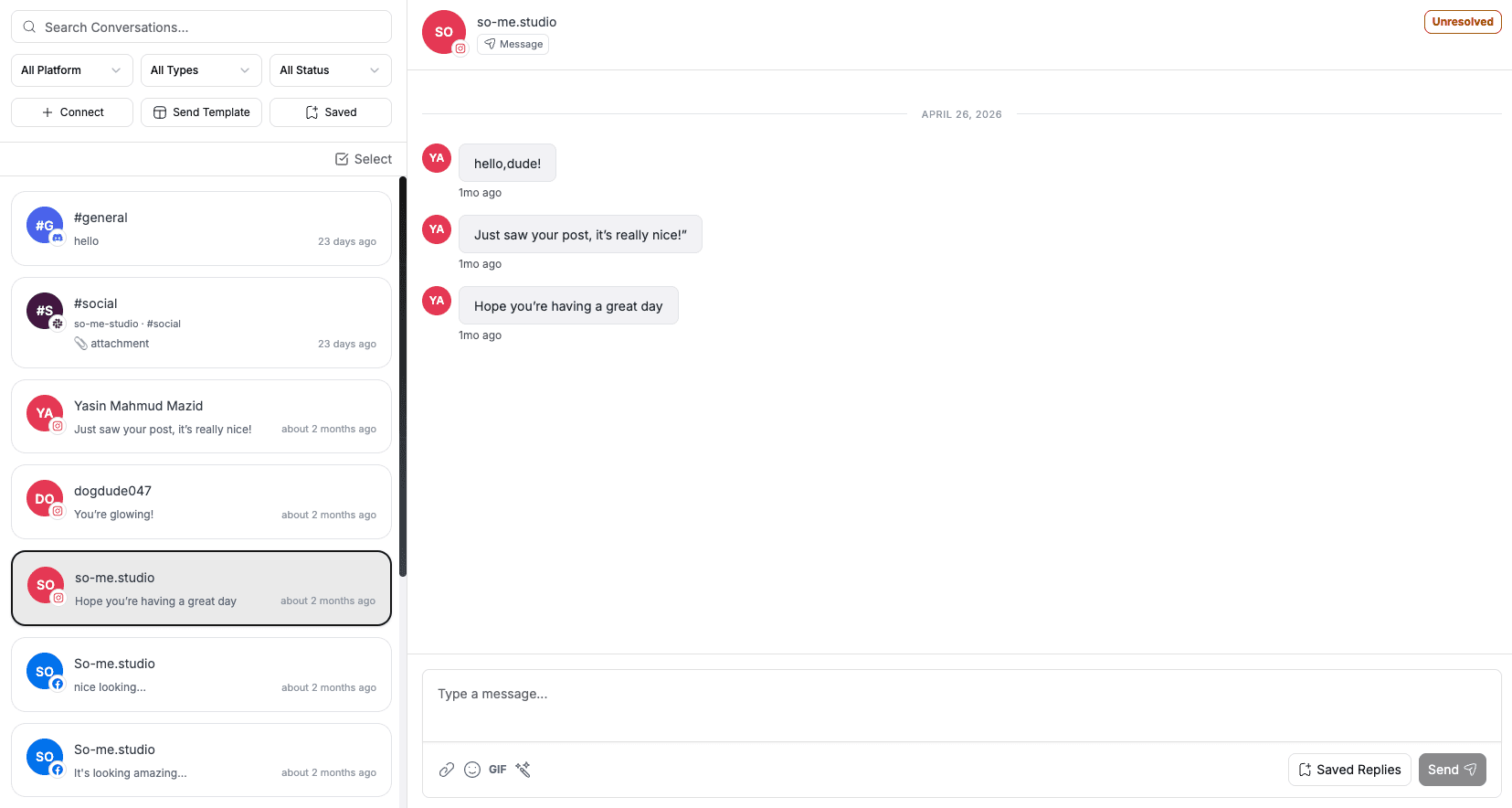
Find your first 100 customers in your DMs
Pull every comment and DM across platforms into one inbox. Spot super-users early, collect product feedback, and schedule user interviews directly from a thread.
- One inbox across every connected account
- Tag and follow up on customer-development leads
- Convert a comment to a calendar invite in two clicks
Ship build-in-public on autopilot
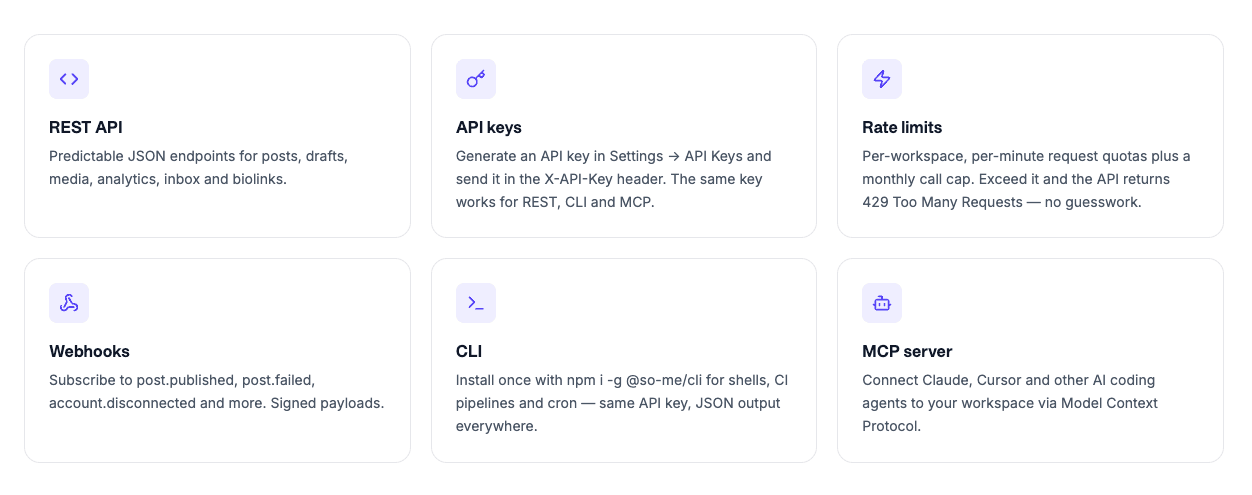
Technical founder? Post straight from your codebase. A REST API, an MCP server (200+ tools), webhooks and an n8n node let you fire a tweet on every deploy, let Claude or Cursor draft and schedule updates, or auto-publish your changelog, no marketing hire required.
- REST API + 200+ MCP tools for Claude, Cursor and custom agents
- Webhooks on 40+ events to trigger your own workflows
- CLI and n8n node for CI pipelines and no-code flows
Built for lean startup teams
From a solo founder posting between customer calls to a Series-A team hiring its first marketer.
Solo founders
Doing product, sales and marketing yourself. You need a 30-min/week social system that survives.
Early-stage teams
2-5 people, everyone wears multiple hats. Shared workspace, no per-seat surprise charges.
Pre-launch startups
Build audience before you have a product. AI-write build-in-public updates and ship daily.
Bootstrapped companies
Can't justify $200/month for a social tool. Lite covers a founder posting daily for a fraction of that.
LinkedIn for B2B startups, Twitter/X for developer or technical products, Instagram or TikTok for consumer brands, and YouTube for anything that benefits from search. Start with one where your customers already are, get consistent, then expand. Social media studio supports all of them from one workspace.
For pre-seed and seed startups, the right answer is usually time, not dollars: 2-4 hours per week from the founder, batched. Paid social is rarely worth it until you have a working product and a clear ICP. Lite is enough for most pre-revenue startups; move to Standard when you need the unified inbox, more bio-links or a bigger team.
Start with a 7-day free trial. A credit card is required, but nothing is charged until the trial ends. Your selected plan renews automatically after 7 days unless you cancel in Billing. There is no free plan.
Yes. Write a post once, customize per platform, schedule them all from the same editor. They go out at the times you set for each platform.
Each product or brand can have its own Hub, a separate workspace with its own social accounts and content. Standard plan includes 3 Hubs, Advanced unlimited.
Yes. Lite includes 3 team members, so you can invite your first hires right away. When the team grows beyond that, Standard has no limit on team members.
Schedule once.
Post everywhere.
Stop juggling tabs, draft, customize, and publish to 20 platforms from a single calendar.