The Social Media Scheduler Built for Batching
A visual content calendar that auto-publishes posts across Instagram, TikTok, YouTube, LinkedIn, Twitter/X, Facebook, Threads, Pinterest and more. Plan a week in 30 minutes.
Start 7-day free trial
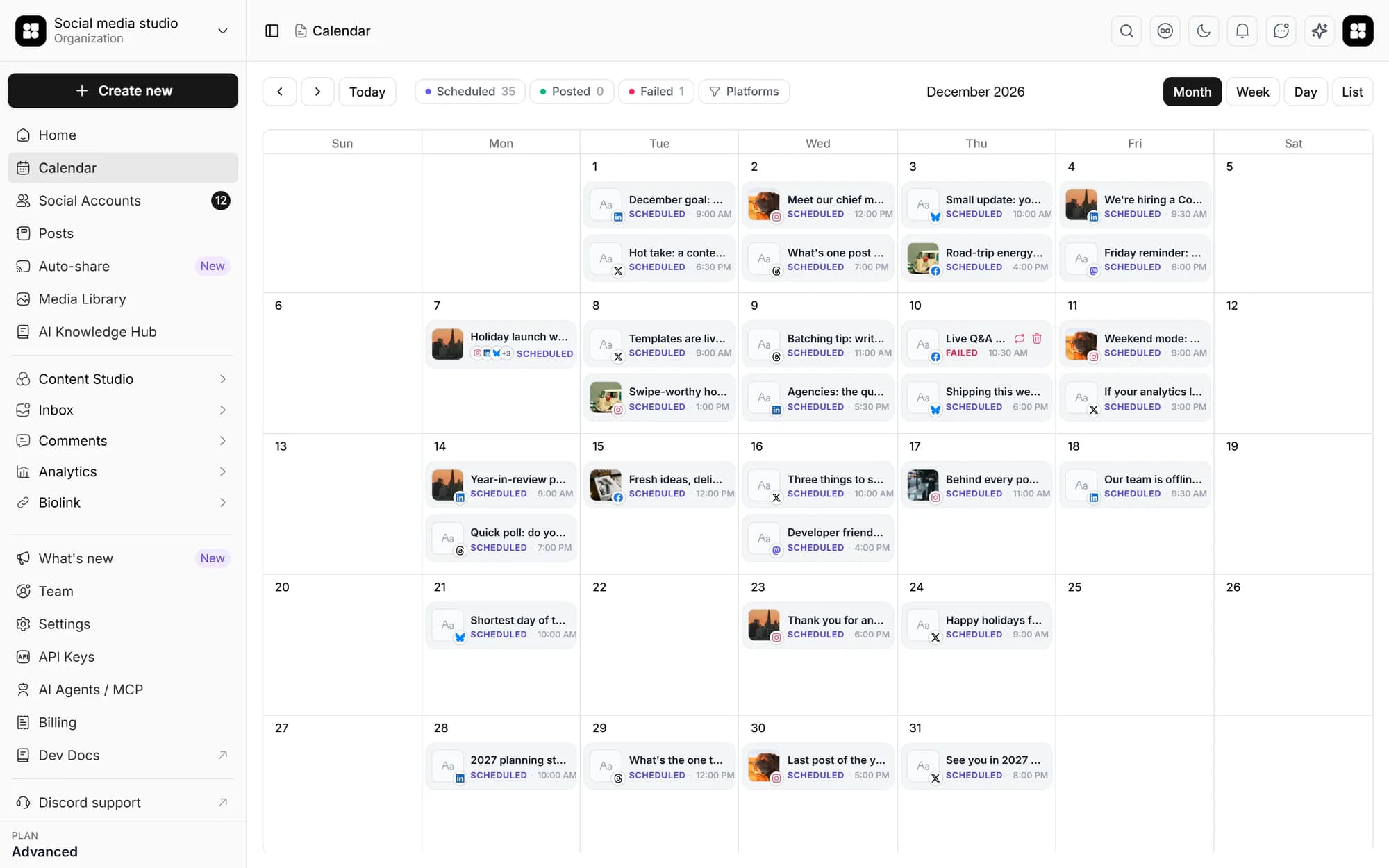
Visual calendar across every platform
See every connected channel side-by-side. Drag posts between days. Never juggle browser tabs again.
Best-time auto-posting
Pick a day, not a time. The scheduler recommends slots when your audience is actually online, based on your engagement history.
Bulk + queued publishing
Upload media in bulk, stage a whole batch as drafts, and let queued jobs publish each post at its scheduled time.
Plan a full month at a glance
Month view shows gaps, clashes, and per-platform mix at a glance, fix them before they ship.
A drag-and-drop calendar that thinks in weeks
Most schedulers are queue-based, you stack posts in a list and hope. Social media studio puts every connected platform on a single calendar so you can see what's going out where, when, and on which channel.
- Day, week, month, and list views
- Per-platform color coding
- Drag posts to reschedule in one motion
Auto-publish across every platform you connect
Hit schedule once. Social media studio handles each platform's API quirks, Reels, carousels, video uploads, and approved WhatsApp templates, and confirms when each post lands.
- Instagram feed, Reels, Stories, carousels
- TikTok video + photo carousels, YouTube video
- Pinterest pins, LinkedIn text/image/video/carousel
- Twitter/X, Facebook, Threads, Bluesky, Mastodon and more

Approvals before anything publishes
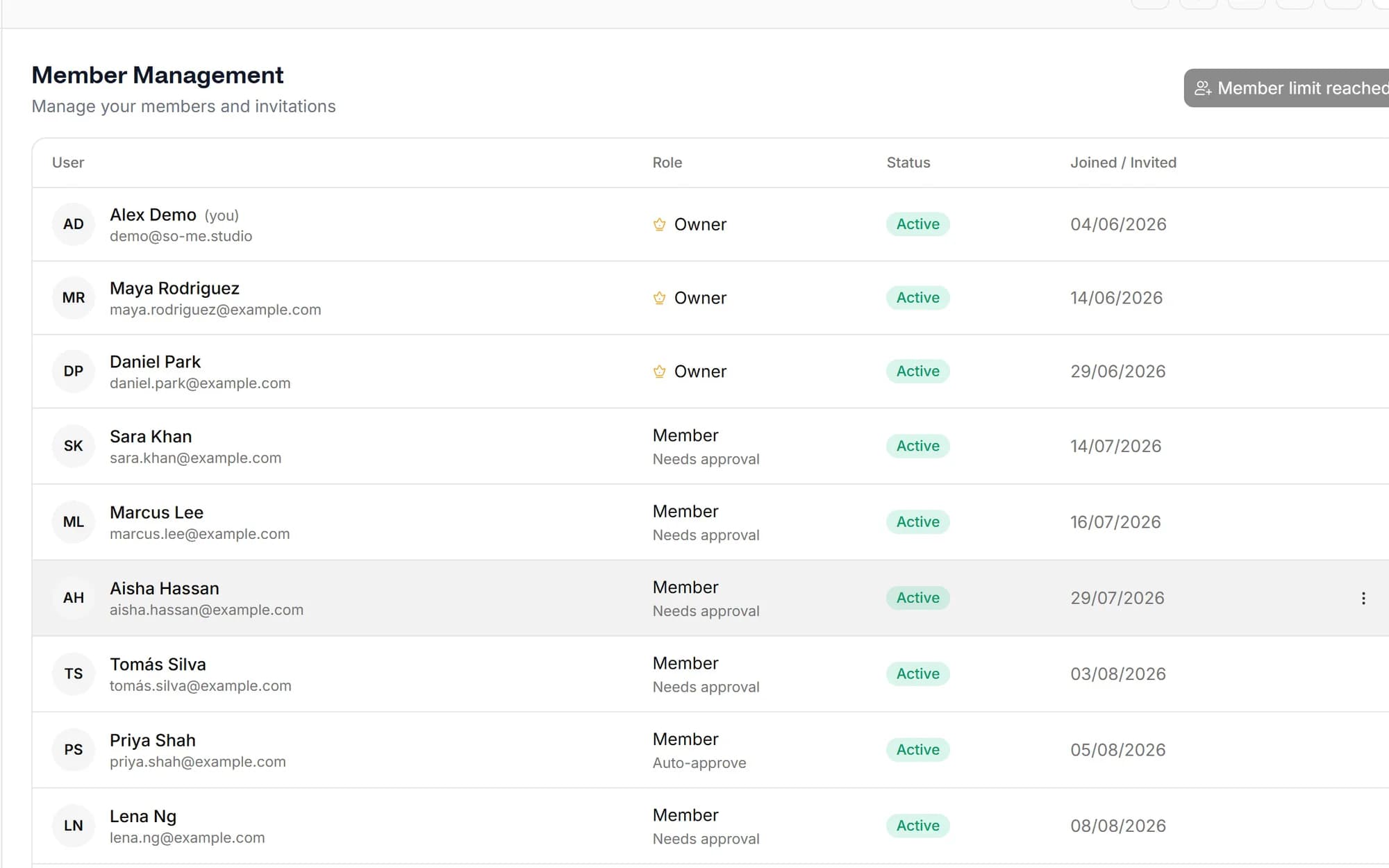
Drafts move through a simple approval flow. Members create and submit, the workspace owner approves or rejects with review comments, and nothing ships until it's signed off.
- Submit → owner approve / reject → resubmit
- Review comments and per-post collaboration threads
- Retry failed posts without losing caption or media
Built for everyone who hates posting in real time
Solo creators
Batch a week of content in one sitting instead of 5 minutes here, 10 minutes there.
In-house marketing
Plan campaigns, sync with launches, and stop chasing the social manager every Friday.
Agencies
Schedule across every client hub from one calendar, clients see only their own.
Lean startups
30 minutes a week is the entire social media budget. The scheduler is what makes that work.
16 destinations: Instagram (feed, Reels, Stories, carousels), TikTok (video and photo carousels), YouTube, LinkedIn (personal + Company Page), Twitter/X, Facebook, Threads, Pinterest, WhatsApp (approved Business templates), Bluesky, Mastodon, Dribbble, Discord, Slack, WordPress and Dev.to. Reddit and Google Business Profile are coming soon. All from one calendar.
Social media studio looks at when your audience has historically engaged on each platform and recommends slots within that window, surfaced as a heatmap. You can override per post or per platform if you have a hard publish time.
Yes. Social media studio publishes Reels, feed posts, carousels and Stories on Instagram via the official Instagram Graph API.
Start with a 7-day free trial. A credit card is required, but nothing is charged until the trial ends. Your selected plan renews automatically after 7 days unless you cancel in Billing. There is no free plan.
Yes. Upload media in bulk and stage your posts as drafts, then schedule the whole batch. Queued background jobs publish each post at its scheduled time, and you can review everything before it goes live.
You get a notification with the platform's error message and a retry button. Social media studio also keeps the failed post so you don't lose your caption or media.
From the blog
AI agents for social media: architecture and implementation
AI agents automate social media workflows by integrating content generation, scheduling, and analytics into autonomous systems. No manual UI clicks required.
Why Approval Workflows Matter When AI Runs Your Social Media
When AI agents draft and schedule your posts, an approval workflow is the control layer that prevents off-brand content, legal exposure, and posting mistakes from going live unreviewed.
Auditable AI: Why Every Post Should Have a Paper Trail
Auditable AI in social media means every post decision is recorded and retrievable: who created it, who approved it, when it published. This is not optional for regulated industries or accountable teams.
Schedule once.
Post everywhere.
Stop juggling tabs, draft, customize, and publish to 20 platforms from a single calendar.