

AI Posting01
AI-Powered Posting
Generate captions, repurpose content, and write on-brand posts faster, with built-in AI writing tools.
Plan, schedule, publish, and grow across all your social channels. We support both humans and AI agents. Experience the future of social media management with our all-in-one platform.
7-day free trial · Card required


Seven tools, one platform, calendar, multi-account, AI, inbox, analytics, bio-links, and media library, designed to work as one.
Generate captions, repurpose content, and write on-brand posts faster, with built-in AI writing tools.
Plan and schedule posts across every platform. Weekly, monthly, and grid views, see what's going out and when.
Reply to comments and DMs without switching apps. A unified engagement inbox that keeps engagement high.
Manage multiple social accounts effortlessly. One dashboard, all your brands, every channel.
Track performance across platforms. Engagement, reach, growth, visualised so you can act on it.
Create a custom landing page for your bio link. Add unlimited links, embed your Instagram feed, and track clicks, all from one URL.
Upload, organize, and reuse images, videos, and templates. Your whole creative library, always at hand.
Pick the integration path that matches your agent architecture. All three share the same workspace, accounts and quota.
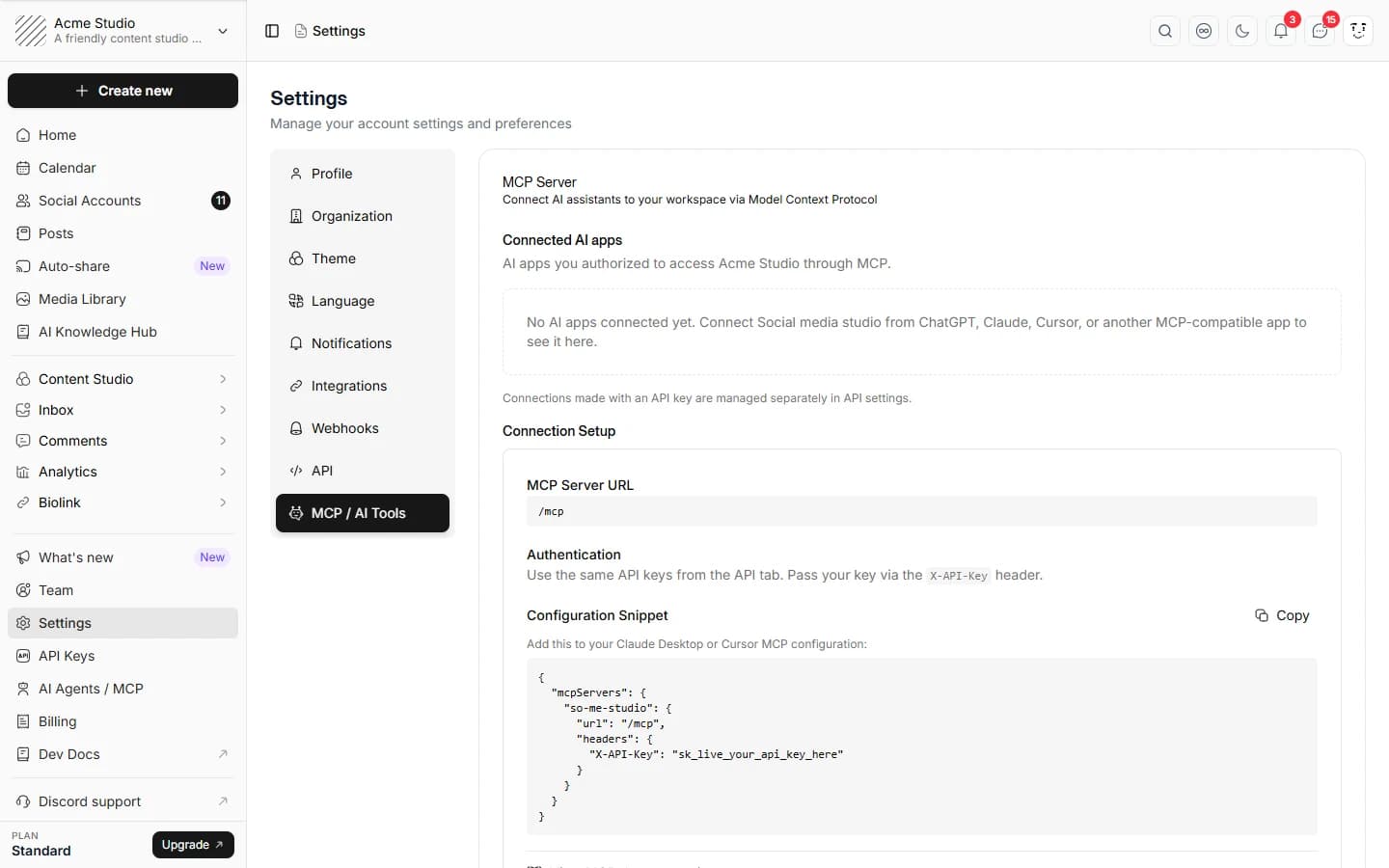
Native Model Context Protocol. Connect Claude, Cursor, Windsurf, Cline, Continue and any MCP agent in one config paste.
One npm i -g install for macOS, Linux and Windows. Drop it into any shell, CI job, cron or agent runner with API-key auth.
Standard JSON endpoints at /v1. Use from LangChain, LlamaIndex, AutoGen, CrewAI or any framework.
Whether you're a solo creator or part of a large team, the platform scales with you. Pick the path that fits.
Connect Claude, Hermes, and any AI agent to your accounts. A 140+ tool MCP server, public REST API, and CLI let agents create, schedule, and publish for you.
Every plan starts with a 7-day free trial. Cancel anytime.
For large teams & enterprises
Billed monthly
For growing teams & agencies
Billed monthly
For individual creators & freelancers
Billed monthly
Start with a 7-day free trial. A credit card is required, but nothing is charged until the trial ends. Your selected plan renews automatically after 7 days unless you cancel in Billing. There is no free plan.
Tips, playbooks, and the latest on social media, straight from the team.

Photo by Andy Feliciotti on Unsplash
AI agents automate social media workflows by integrating content generation, scheduling, and analytics into autonomous systems. No manual UI clicks required.

Photo by Tanalee Youngblood on Unsplash
When AI agents draft and schedule your posts, an approval workflow is the control layer that prevents off-brand content, legal exposure, and posting mistakes from going live unreviewed.

Photo by ewan bullock on Unsplash
Auditable AI in social media means every post decision is recorded and retrievable: who created it, who approved it, when it published. This is not optional for regulated industries or accountable teams.
You can connect 20 destinations and publish to 18 of them straight from the scheduler: Instagram, Facebook, X (Twitter), LinkedIn profiles and Pages, TikTok, Pinterest, YouTube, Threads, Bluesky, Mastodon, Reddit, Discord, Slack, WordPress, Dev.to, Dribbble and Google Business Profile. Telegram and WhatsApp connect for inbox and messaging rather than scheduled publishing. Every connection uses the platform's official API, so scheduled posts publish on their own without a phone reminder step.
Write the post once, then pick every account it should go to, the composer treats them as one post with per-network variants rather than making you start over for each. From there you can tailor each version: trim the copy to X's character limit, swap in a vertical crop for Reels and TikTok, adjust the caption's tone for LinkedIn, or attach different media per network. Set a single time for all of them or stagger them, and the calendar view lets you drag a post to a new slot without reopening it. Publishing then happens on its own through each platform's official API, so nothing depends on you confirming a push notification at the scheduled moment. If you are unsure when to post, the best-time engine suggests slots from your own engagement history rather than generic industry averages, and on Standard and Advanced plans a post can route through approval before any of it goes live.
Start with a 7-day free trial. A credit card is required, but nothing is charged until the trial ends. Your selected plan renews automatically after 7 days unless you cancel in Billing. There is no free plan.
New monthly and annual subscriptions have a 30-day money-back guarantee on the first subscription payment. The one-time Lifetime offer has a 7-day money-back guarantee from purchase. The subscription guarantee does not cover renewals or upgrades after the initial 30 days. Contact support to request a refund; cancelling alone does not request one. See our Refund Policy for details.
See the pricing table for current Lite, Standard, Advanced and Lifetime limits.
Yes. Standard and Advanced plans add teammates with OWNER and MEMBER roles, plus a built-in approval workflow: a member drafts a post, submits it for review, and an owner approves or rejects it with comments before anything publishes. Nothing goes out without sign-off when approval is required, which is what makes client work manageable.
Describe the post you want and the AI drafts a caption tailored to each network's tone and character limits, so the same idea reads correctly on LinkedIn and on TikTok without rewriting it by hand. It runs inside the composer rather than in a separate tab, and paid plans include a monthly pool of AI credits covering captions, AI images and UGC-style avatar video.
Account-level and post-level analytics across the connected platforms, followers, impressions, reach, engagement, clicks, saves and video views, with period-over-period growth so you can see direction rather than a single snapshot. Analytics are included on every plan rather than gated behind an add-on. There is also a best-time-to-post engine that builds a personalised posting heatmap from your own engagement history and audience timezone.
One place for the comments, DMs and mentions arriving across your connected accounts, so community managers stop logging into each network separately. Messages from Facebook, Instagram, WhatsApp and X arrive by webhook in real time; Slack, Telegram, Discord, Bluesky, Mastodon and Reddit are polled. You can reply, use saved replies with variables, and send batched bulk replies. The inbox is available from the Lite plan upward.
Yes, that is a first-class surface, not an afterthought. There is a Model Context Protocol (MCP) server exposing the platform as tools an AI agent can call directly, plus a public REST API and a command-line tool. An agent can draft platform-specific captions, schedule them, and read analytics back to inform the next batch, without a no-code middleman like Zapier sitting between the model and the API.
Yes, and it is included rather than sold separately. Build a hosted landing page with your own slug, themes, buttons and Instagram embeds, then track page views and per-link clicks alongside your other analytics. It replaces a standalone Linktree subscription for most people, and it is included on every plan.
Failed posts are surfaced rather than silently dropped: you get a notification, the post is marked failed with the platform's error, and you can retry it once the cause is fixed. Most failures come from an expired platform token or a media file that breaks a network's format rules, so the error tells you which of the two it was.
Connections are made through each platform's official OAuth flow, so you authorise Social media studio from the network itself and we never ask for or store your social passwords. Access tokens are encrypted at rest, and you can disconnect an account at any time to revoke access immediately. Publishing through official APIs also keeps your accounts clear of the automation rules that ban browser-simulating tools.
Yes. Connect your accounts through the normal OAuth flow and schedule as usual, there is nothing to export from your old tool first, because the posts live on the platforms rather than in the scheduler. Most people run both side by side during the 7-day trial, then cancel the old subscription once their calendar is rebuilt.
Yes, reduced pricing is available for registered nonprofits, accredited students and early-stage startups. Contact support with proof of eligibility and we will apply the discount to your account.
Stop juggling tabs, draft, customize, and publish to 20 platforms from a single calendar.